


Lexand
Üye
✦ Drop Search System
Bilgi
Greetings Knights,
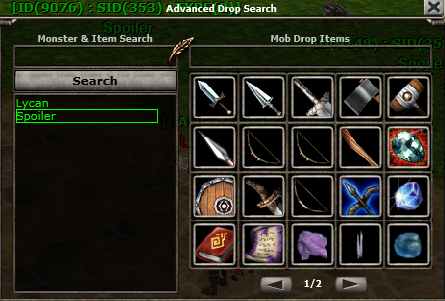
You can search for drops by pressing the [D] icon located next to the top-left health bar.
The mobs in your vicinity will instantly appear on the list.
To see the drop content of a mob that is not nearby, you can type its name and search for it.
You can search for drops by pressing the [D] icon located next to the top-left health bar.
The mobs in your vicinity will instantly appear on the list.
To see the drop content of a mob that is not nearby, you can type its name and search for it.
Moderatör tarafında düzenlendi: